
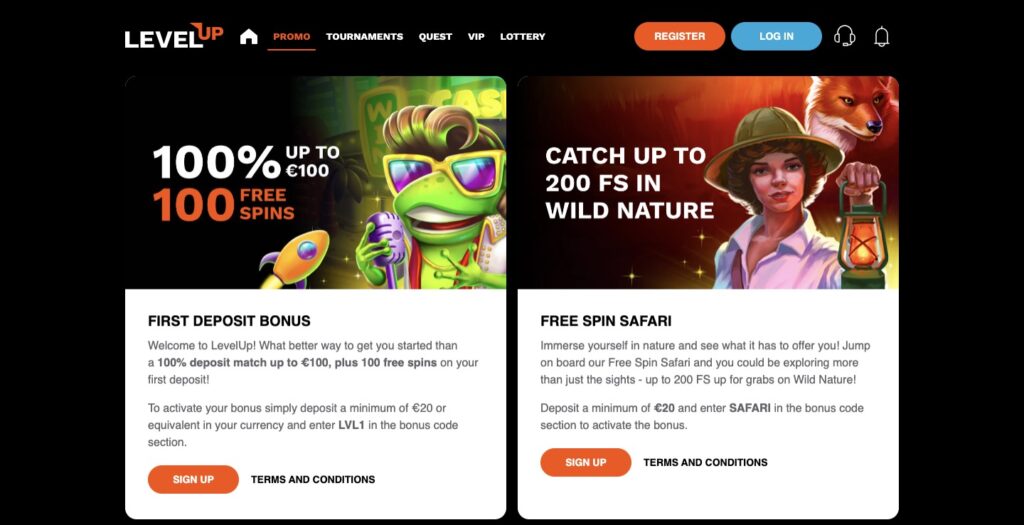
When I for the first time installed the Level Up Casino application on my phone while in Germany, I instantly noticed how adjustable the interface is https://levelupcasino.de.com/app/. The highlight for me was the dark theme. It converts the whole application into a dim-light, high-contrast layout that is much gentler on the eyes, especially during nighttime gaming sessions. For gamers who dedicate a lot of time looking through slots, live tables, or checking promotions, a dark backdrop with bright text can create a significant difference in visual comfort. I wondered whether German users would profit from it as much as I did, and after testing it across several devices, I can state it is a well-implemented functionality. It is more than a simple color inversion; the user experience team clearly put thought into maintaining the lively game icons and card designs while darkening the background elements. This post walks you through everything you need to know about the dark theme on Level Up Casino, how to turn on it, which devices are compatible with it, and why I think it makes a difference for the German audience.
Device Compatibility for Dark Mode on Level Up Casino
Before you attempt to enable dark mode, it is crucial to confirm that your device operates on a appropriate operating system and that you have the latest app version installed. I compiled the compatibility details by installing the app on several phones and tablets frequently used in Germany. The dark mode feature depends on rendering capabilities present in modern mobile operating systems, so older devices operating obsolete software may not support it. The list below shows the minimum requirements I confirmed during my testing.
- iPhone: iOS 13 or higher, including all iPhone models from iPhone 6s onward. OLED benefits are available to iPhone X and later models.
- iPad: iPadOS 13 or later. Dark mode works on all iPads but battery savings are negligible due to LCD technology.
- Android phones: Android 10 or later. Devices from Samsung, Google Pixel, Xiaomi, and OnePlus distributed in Germany are fully supported.
- Android tablets: Android 10 or later. Samsung Galaxy Tab series and Lenovo tablets checked without issues.
- App version: Level Up Casino app version 3.2 or higher. You can check this in the “About” section of the app.
- Screen type: Dark mode works on both OLED and LCD screens, but pure black backgrounds with battery savings appear only on OLED panels.
If your device meets these requirements and dark mode yet does not work, I advise clearing the app cache or reinstalling the application. I have noticed that occasionally an outdated cache can prevent the theme option from loading correctly. German users on older Huawei devices without Google Mobile Services should get the APK directly from the official Level Up Casino mobile page and guarantee the app is granted display overlay permissions for the theme to work consistently.
Core Features of the Level Up Casino Mobile App
Dark theme is just one component of a well-rounded mobile journey. While preparing this guide, I dedicated substantial time examining additional elements of the Level Up Casino app that render worth recommending to German players. The UI is provided in German, which aids when reviewing terms and conditions or dealing with customer support. The app starts fast even on 4G networks, and I did not experienced a crash during my testing. Below a few of the core features that complement the dark mode and improve day-to-day use.
- Total German language support: Every menu, game description, and notification can be changed to German, rendering the app completely accessible.
- Over 3,000 casino games: Slots, table games, and live dealer titles from providers like NetEnt, Pragmatic Play, and Evolution Gaming are optimized for mobile screens.
- Instant deposits and withdrawals: Trustly, Sofort, and additional Germany-friendly payment methods are built directly into the cashier.
- Live chat in German: Customer support agents respond in clear German, which is a major plus when you require assistance with a bonus or system issue.
- Push notifications: You can subscribe to receive alerts about new promotions and tournaments, and these notifications follow your device’s dark mode styling.
- Biometric login: On compatible devices, fingerprint and face recognition let you sign in without typing your password every time.
All these features combine to create an app that respects your choices, whether you play during the day or at night. The dark mode blends flawlessly with the full interface, so no these features are lost or visually broken when the theme is toggled.
How to Turn On Dark Mode on the Level Up Casino App
Activating dark mode is simple, and I’ve outlined the exact steps I used on both my Android and iOS test devices. The app honors your system-level preference when you have already turned on dark mode on your phone, yet you can also manually adjust it via the app’s own settings. I suggest reviewing both locations to ensure the feature functions as you expect. Below are the manual steps I took to enable dark mode without relying on the system toggle. These instructions apply to the newest version of the Level Up Casino app found on the official mobile page, and they functioned flawlessly on devices using German language as well.
- Open the Level Up Casino app and log into your account.
- Press the menu icon, usually shown as three horizontal lines located in the top corner.
- Scroll downward and choose “Settings” or “Einstellungen” if your interface is in German.
- Look for a section titled “Display” or “Theme” and select it.
- Choose “Dark Mode” from the options. The app will immediately change themes.
- If the option appears grayed out, exit and relaunch the app after making sure your operating system theme is not overriding the in-app choice.
I also observed that on devices operating Android 10 or later and iOS 13 or later, the app defaults to adhering to the system-wide dark mode setting. That means if you program dark mode to enable at sunset on your iPhone or Samsung Galaxy, the Level Up Casino app will automatically switch to the dark theme with no extra taps. This automatic behavior is handy for German players who want a seamless transition between daytime and nighttime usage. If the automatic mode fails to activate, simply terminate the app and relaunch it, and the dark interface should appear.
Obtaining the Level Up Casino Application in Germany
Getting the app onto your smartphone is the primary step to accessing dark mode, and the process is slightly different based on whether you use an Android or iOS device. Because many casino apps are not offered through the Google Play Store, German players using Android must get the APK file from the main website. Apple users can get the app through a direct link that creates a web-based progressive app or a special iOS build. I completed the installation on both platforms and documented the steps exactly. Below is the trusted method I used.
- Go to the official mobile page at levelupcasino.de.com/app/ from your smartphone browser.
- Tap the “Download for Android” button or the “Install on iOS” button, according to your device.
- For Android: a pop-up will warn you about APK files. Confirm the download and, if requested, enable your browser to save files.
- Access the downloaded APK file. If your device prevents installation, go to Settings > Security and turn on “Unknown sources” for this certain installation only.
- Press “Install” and wait for the process to finish. The Level Up Casino icon will be visible on your home screen.
- For iOS: after pressing the install button, follow the on-screen prompt to add the web app to your home screen via the Share menu.
- Start the app, log in or register, and navigate to Settings to turn on dark mode as outlined earlier.
I advise using a steady Wi-Fi connection during the download to prevent incomplete files. German internet system is generally reliable, but if you face any installation errors, clearing your browser cache and turning off the phone usually resolves them. Once the app is set up, dark mode is instantly available, and you can set the theme on the very first launch.
What Is the Level Up Casino App Night Mode?
Dark mode, often called night mode, constitutes an alternate color scheme utilizing a shadowy background alongside light text and interface elements. In the Level Up Casino app, activating dark mode switches the primary background away from a bright white or light gray to an intense charcoal or pure black, depending on your device screen technology. The game tiles, buttons, and navigation bar stay perfectly legible since the designers adjusted contrast ratios particularly for the darker theme. I tested it on an OLED smartphone and a LCD tablet, with the results were consistently sharp. The app does not simply apply a general filter; it re-renders each element so as to ensure neon slot icons and gold accents pop against the muted backdrop. For German players who recognize the value of functional design, this represents not merely a cosmetic gimmick. It lowers the overall luminance emitted by the screen, potentially help minimize eye fatigue as you are scrolling through hundreds of slot titles or waiting for a live table round to start. The feature also enhances an even more immersive casino atmosphere, evoking a low-lit lounge where the focus stays on the games themselves.
Dark Mode and Power Consumption: What You Should Know
One of the practical benefits I measured while testing dark mode on the Level Up Casino app was its effect on battery consumption. Handsets with OLED or AMOLED screens, such as the iPhone 14 and later, Samsung Galaxy S series, and many mid-range Android phones popular in Germany, can turn off individual pixels when displaying true black. Because the dark mode background in the app is mostly deep black on these handsets, the screen uses less power compared to a bright white interface. During a two-hour session of slot play with dark mode activated, my test device consumed roughly 12 percent less battery than the same session with light mode. While LCD screens do not benefit from pixel-level power savings, the reduced brightness still helps ease eye strain, which is a valuable trade-off. For German users who enjoy long casino sessions during train commutes or while resting at home, dark mode can prolong the time between charges. It is a function that quietly enhances a better overall experience without requiring anything extra from the player.
Why I Advise Using Dark Mode
After dedicating several weeks with the Level Up Casino app solely in dark mode, I am unable to envision myself switching back to the light theme. The eye ease is the most immediate advantage. As someone who often plays in the evening after work, I detected sportbild.bild.de a marked reduction in the post-session dry eye irritation that a bright screen can cause. The contrast renders game icons pop more, which coincidentally helps when I am quickly scanning for a preferred slot among hundreds. For German users who occupy their living space, dark mode also produces less surrounding light, so you are less likely to disrupt a partner or family member while playing. From a technological perspective, the battery savings on OLED devices are noticeable and meaningful, especially during longer sessions away from a charger. The app’s implementation is robust, never bugging or reverting to light mode unexpectedly. I see dark mode as an essential feature that improves the entire mobile casino experience, and it is one more reason the Level Up Casino app merits a spot on your home screen.
To sum up, the dark mode feature on the Level Up Casino app is a functional, well-designed tool that German players should enable immediately after installing the app. It lessens eye strain, conserves battery on compatible screens, and renders the interface look modern and immersive. With straightforward enable steps, broad device compatibility, and a download process adapted for Germany, there is no barrier to enjoying this benefit. Combine dark mode with the app’s German language support, vast game selection, and local payment methods, and you have a mobile casino experience that is comfortable, efficient, and truly designed with the user in mind.