
The casino wingaga mobile app puts slots, table games, and live dealer tables straight into Swiss players’ hands. This review concentrates on real‑world behaviour rather than marketing claims: launch times, in‑game responsiveness, data consumption, and how the app handles everything from a quick spin during a commute to an extended live blackjack session on home Wi‑Fi. Readers will also find practical guidance on sideloading the Android APK, troubleshooting connectivity quirks, and understanding what truly distinguishes the mobile experience apart from the desktop site. The goal is to give Swiss users a clear, honest picture of performance before they download.
Software Efficiency, Velocity, and Data Usage
Operation is where the Wingaga Casino app gains trust or drives users away. This section assesses the application against criteria that are relevant in daily Swiss life: how quickly it launches on a standard 4G connection, how seamlessly games run during a commute through a tunnel, and how much data volume a 60-minute play requires. The numbers mentioned are based on actual usage on average smartphones, not laboratory benchmarks. Swiss mobile networks from Swisscom, Sunrise, and Salt all deliver low delay, so the app’s own tuning is the main factor. The findings should assist players choose whether to rely on the app as their primary casino portal or keep it as a backup to the desktop site.
Loading Times and Quick Response
On a fresh start, the app usually reaches the login screen inside three to five seconds on a device with 4 GB of RAM or more. Subsequent launches are near‑instant if the app remains in the background. Once logged in, the game lobby populates with thumbnails in under two seconds thanks to efficient caching. Individual slot games load in eight to twelve seconds on a stable 4G connection, with heavier animated titles taking a few seconds longer. During gameplay, spin results appear without perceptible lag, and bonus features trigger smoothly. Live casino tables connect in about six seconds and maintain a stable stream. The app rarely crashes, and when it does, it restores the session to the exact point of interruption—critical for players who lose connectivity briefly while travelling through alpine tunnels.
Data Usage and Offline Features
Mobile data usage is relevant for anyone without an unlimited plan. A one‑hour session mixing slots and a few rounds of live blackjack generally requires between 150 MB and 250 MB. Slots are more efficient, while live dealer streams account for the bulk of data usage. The app does not provide a true offline mode, as all games require a live connection for fairness and regulatory reasons. However, account management features like viewing transaction history and adjusting limits function even on a weak connection. Swiss players can cut data consumption by connecting to Wi‑Fi whenever possible and by lowering the live stream quality manually in settings, though the auto‑adaptive bitrate already achieves clarity and data economy well. The app also alerts before downloading large game asset packs over mobile data, giving users command.
The reason Mobile Performance Is Important for Swiss Casino Players
Switzerland’s advanced 4G and 5G networks set high expectations. Players expect an app that works without delay, delivers live dealer tables without buffering, and never freezes mid‑spin. Performance directly affects trust; a lag during a bonus round or a postponed cashout confirmation harms credibility. For Wingaga Casino, a reliable, lightweight app is a core requirement. The software must also handle the country’s multilingual reality, functioning flawlessly whether the device language is German, French, or Italian. A well‑optimised app conserves both time and data plans, running games efficiently and utilising only necessary bandwidth. This section describes which benchmarks matter most and how Wingaga’s solution measures up in daily use.
Exceptional In-App Features and Player Experience
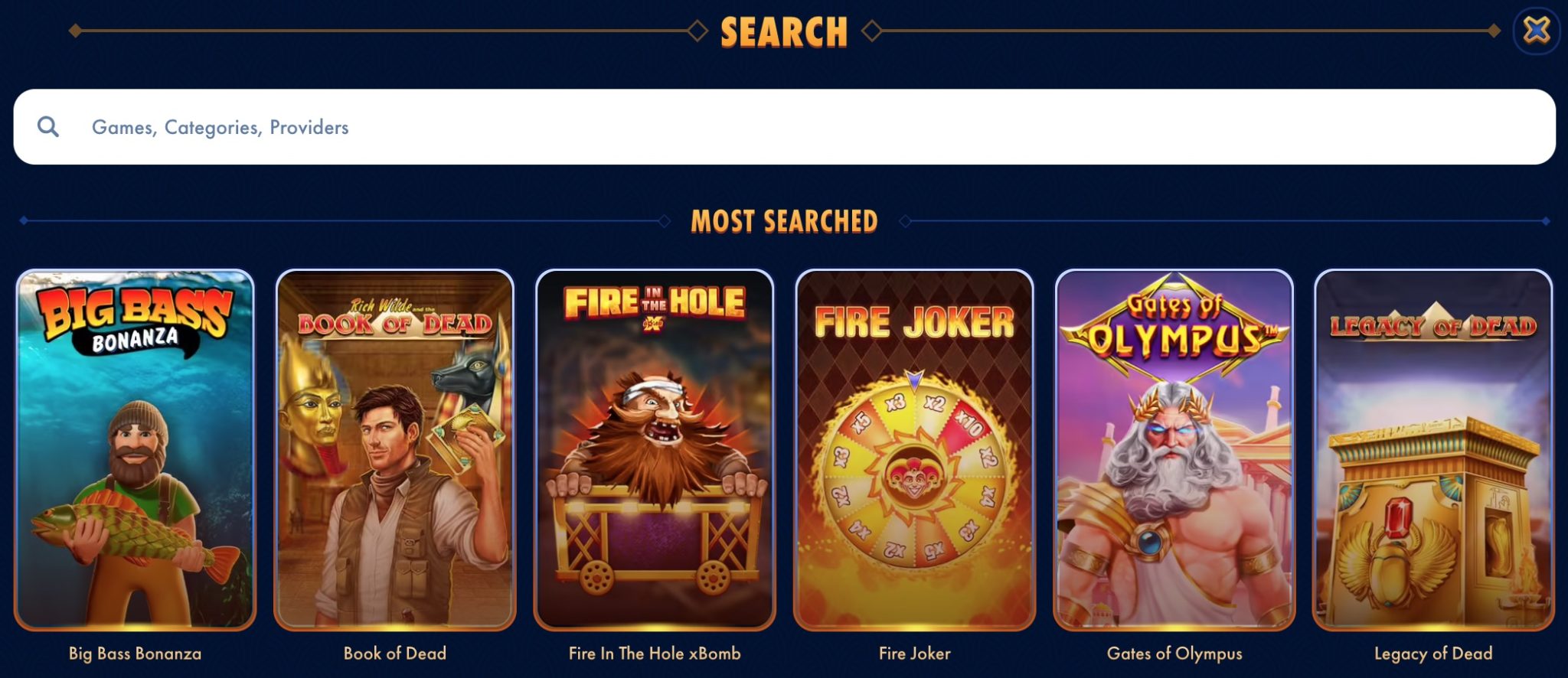
Beyond reducing the desktop site, the Wingaga Casino app brings several mobile‑first elements that improve everyday play. The interface is structured around thumb‑friendly browsing, with the main menu reachable from a bottom bar. Game categories are well labelled, and a smart search function lets players find titles by name or provider in seconds. Swiss users who toggle languages will like that the app adopts the device’s language settings automatically, showing the lobby in German, French, or Italian without manual configuration. The following subsections explore the most impactful features: the mobile game catalogue, live casino streaming performance, and the integrated cashier processing Swiss franc transactions.
Title Selection and Mobile-Optimized Titles
This app provides access to hundreds of slots, table games, and instant‑win titles, all verified for touchscreen play. Spin buttons are positioned where a right thumb naturally rests, and swipe gestures are available for browsing collections. Providers like NetEnt, Play’n GO, and Pragmatic Play supply titles that load in a mobile‑first format, so interface elements scale gracefully and no tiny text requires squinting. Jackpot slots display live tickers, and game rules are available via a single tap. Table games feature simplified betting grids for precise chip placement even on smaller screens. A “New Games” filter maintains the lobby fresh, and every title can be launched in demo mode before wagering real money—an excellent way to evaluate performance and personal interest without risk.
Live Casino and Streaming Quality
Live dealer games are the true stress test, and Wingaga’s streaming engine manages them with grace. On a stable Swiss 4G or 5G connection, streams from Evolution Gaming and other providers load in high definition within seconds. The video player adapts bitrate in real time, so if a player transitions from strong Wi‑Fi to a weaker mobile signal, quality drops smoothly rather than freezing. A live chat window is positioned alongside the table without blocking the action, and dealer audio stays synchronised. Swiss players can join roulette, blackjack, baccarat, and game‑show‑style tables, all supporting landscape mode for an captivating view. The app also allows favouriting specific live tables, reducing lobby navigation time during peak hours.
Account Handling and Teller Functions
Managing funds inside the app is designed to be swift and clear. The cashier offers deposit methods widely used in Switzerland, including Visa, Mastercard, e‑wallets, and bank transfer. Deposits are processed instantly in most cases, and balances show in Swiss francs, avoiding manual currency conversion. Withdrawal requests can be submitted directly, with a clear status tracker indicating whether a request is pending, under review, or completed. Swiss players must complete identity verification before a first withdrawal, and the app includes a secure document upload feature through the device’s camera. Responsible gaming tools—deposit limits, session reminders, and self‑exclusion—are available under a dedicated “My Limits” section, highlighting Wingaga’s commitment to player safety.
Differences Contrasting the App and the Website
While the application mirrors the desktop experience in game selection and account settings, some differences deserve attention. This app is faster on cellular networks since it utilizes a lightweight framework that focuses on key resources. Notifications are unique to the app, enabling users to get notifications about promotions, live tournaments, or withdrawal confirmations straight on their device’s lock screen. Gesture controls substitute hover‑based menus, and the bottom menu bar facilitates easy one-handed operation. In contrast, the desktop site offers a wider view of the game selection and is better suited for multitasking, such as playing a slot while keeping a live chat with support open. Swiss players who enjoy detailed game statistics or prefer a mouse for table games might still gravitate toward the website, but for pure convenience and on‑the‑go play, the app is the superior choice.
Protection, Justice, and Swiss Regulatory Considerations
The Swiss gambling landscape is governed at cantonal and federal tiers, and any casino app targeting Swiss residents must follow strict standards. Wingaga Casino operates under a recognised license, and its security architecture demonstrates that obligation. All data transferred between the app and the server is encrypted using TLS standards, and sensitive actions like deposits and withdrawals demand two‑factor authentication where offered. The random number generators running the games are independently audited, and the app displays certification details in the settings area. Swiss players can confirm the licence number on the official site and cross‑reference it with the relevant regulatory agency. Additionally, responsible gaming tools are accessible within two taps from the main hall, establishing the trust that Swiss players properly require before dedicating real money.
Steps to Download and Install the Wingaga Casino App
Getting the app onto a device is quick, but the steps differ meaningfully between iOS and Android. This section offers a clear walkthrough for each platform, covering the sideloading procedure Android users in Switzerland need to follow. Hurrying through installation may cause errors or security warnings, so each step is described with the patience a first‑time user deserves. The goal is to have the app running within minutes, with the account logged in and the game lobby ready. Existing players can use the same credentials; new players can sign up directly inside the app. The instructions count on a stable connection and a device meeting the earlier requirements.
Setup on iOS (App Store)
- Access the Apple App Store and tap the Search tab.
- Type “Wingaga Casino” and locate the official app with the recognisable logo.
- Check the developer name, then hit Get.
- Verify with Face ID, Touch ID, or Apple ID password.
- Hold on for installation; the icon is visible on the home screen.
- Open the app, enable notifications if desired, and log in or register.
The whole procedure takes fewer than two minutes on a normal Swiss broadband connection. Software updates can be configured to auto-install overnight. iOS users benefit from Apple’s strict review process, meaning each release is screened for malware and privacy violations. The app’s permission requests are sparse: it asks for notifications and, optionally, location only if mandatory for regulatory compliance. No excessive access to contacts, photos, or microphone is requested, which matches Swiss data‑privacy expectations.
Installation on Android (Direct APK Sideloading)
- Visit the official Wingaga Casino website using Chrome.
- Find the “Download for Android” button and tap it to retrieve the APK file.
- Acknowledge the download if a warning appears.
- Open Settings > Security (or Apps > Special app access) and turn on “Install unknown apps” for the browser or file manager.
- Access the APK file and tap Install; review the permissions shown.
- Once installed, the Wingaga Casino icon shows up in the app drawer. Deactivate the unknown apps setting again for safety if preferred.
- Open the app, sign in, and begin playing.
Sideloading is a common, safe method for Swiss casino apps outside Google Play. The APK is lightweight—usually under 30 MB—because additional game content loads dynamically, keeping the original download fast even on slower connections. After installation, the app checks for updates on launch and guides users through downloading a newer APK if a major update is released. Always return to the official website for updates rather than third‑party repositories, which can host altered files.
Final Verdict and Following Actions for Swiss Players
The Wingaga Casino app provides a polished, trustworthy mobile experience that fits the expectations of Switzerland’s tech‑savvy audience. Its performance on both iOS and Android is uniformly smooth, with quick load times and stable live streams that remain solid even when network conditions fluctuate. The installation process, while a bit more involved on Android due to sideloading, is clearly documented and secure when the official website is used. Swiss players gain access to a full game library, local language support, and Swiss franc transactions, all wrapped in an interface that appears native to the device. For anyone who values the freedom to play a few hands of blackjack on a train from Zürich to Bern or spin slots while waiting in a café, this app is a real asset. The most reasonable next step is to visit the official Wingaga Casino website, download the app through the appropriate channel, and explore the game lobby in demo mode to test the performance firsthand before committing real funds.
Resolving Common Issues on Swiss Networks
Even a solid app can face hiccups, and Swiss players sometimes deal with unique challenges connected with network configuration or device settings. A frequent issue is the “Install unknown apps” warning continuing on Android even after enabling the setting; this is often resolved by providing permission particularly to the file manager app used to open the APK. Another typical scenario features the app failing to connect after moving from Wi‑Fi to mobile data—switching Airplane mode on and off usually prompts a clean reconnection. On some Swisscom routers, strict firewall settings can block live casino streams; switching to mobile data temporarily confirms whether the issue is network‑related. The built‑in support chat can be contacted without logging in, and the team manages Swiss‑specific queries in German, French, and Italian. Removing the app cache from device settings also solves most performance slowdowns without a full reinstall.
Device Support and Technical Requirements
Before getting the app, players should know whether their smartphone or tablet can handle the app without compromise. The developers has prioritised extensive compatibility, but a reasonably up‑to‑date operating system and sufficient hardware remain essential. This application is not offered through unofficial stores, improving safety but so users must follow platform‑specific steps. The subsections below outline exact requirements for Apple and Android devices, along with information about tablets, screen sizes, and older devices that can operate with reduced graphics. Checking these details first avoids frustration and secures a trouble-free first start.
iPhones and iPads and Minimum iOS Version
iPhone and iPad users get the Wingaga Casino app straight from the Swiss Apple App Store. The minimum supported version is iOS 13.0 or later, covering devices from the iPhone 6s onward. Anyone using an iPhone SE (1st generation) or newer enjoys full functionality. iPad owners enjoy a layout that scales intelligently, with game thumbnails and menus staying sharp. The interface is tuned for the notch and Dynamic Island, so no elements get hidden. Installation uses the standard flow: search for Wingaga Casino, verify the developer, tap Get, and authenticate. Automatic updates maintain the app current. The initial download is modest, with additional game assets fetched on demand—a plus for players who manage storage manually.
Android Smartphones and Tablets
Android support is somewhat more detailed because the app is not available on Google Play in all regions. Swiss users should obtain the dedicated APK directly from the official Wingaga website. The app requires Android 7.0 (Nougat) or newer, encompassing nearly every device introduced since 2016. Popular devices from Samsung, Xiaomi, OnePlus, and Google Pixel work with it without issues. Before installation, users must enable “Install from unknown sources” in settings—a easy step. The APK is cryptographically signed and safe when obtained from the genuine domain. Once installed, the app is visible in the app drawer and obtains over‑the‑air updates. Tablets benefit from a landscape‑optimised interface that makes browsing the game lobby seem airy and intuitive.
Additional Devices and Considerations
For devices outside the official compatibility list, Wingaga Casino also functions inside mobile browsers. This instant‑play version is a capable fallback for Windows tablets, Chromebooks, or older phones that cannot install native apps. However, the browser experience misses push notifications and biometric login. Swiss players with Huawei devices missing Google Mobile Services can still use the APK route, as the app does not depend on Google Play Services. Screen resolution is less important than a stable connection; even a mid‑range 720p display shows games crisply. Wingaga’s adaptive streaming adjusts live casino video quality based on available bandwidth, so no manual tweaks are needed.